

Uploaded your survey responses, NPS data, or customer reviews? Great, now it’s time to turn them into clear, actionable themes. That’s where Prompt-Based Topic Generation comes in. Whether you’re adding new topics or rebuilding your collection entirely, this feature lets you steer the AI using plain language, with you firmly in control.Documentation Index
Fetch the complete documentation index at: https://docs.caplena.com/llms.txt
Use this file to discover all available pages before exploring further.
How Topic Generation Works (Without Prompts)
When no custom prompt is provided, Caplena passes a default prompt to the LLM that looks like this: Generate topics from recurring themes in the provided rows. Group them into categories. The model also uses your project context automatically:- Project name
- Project description
- Column description
- Topic language A solid starting point, but for more control, that’s where prompt-based generation comes in.
Enabling Prompt-Based Topic Generation
You’ll find the Prompt-Based Topic Generation toggle at the top of the Topic Editor. Switch it on to reveal the prompt input and choose your mode.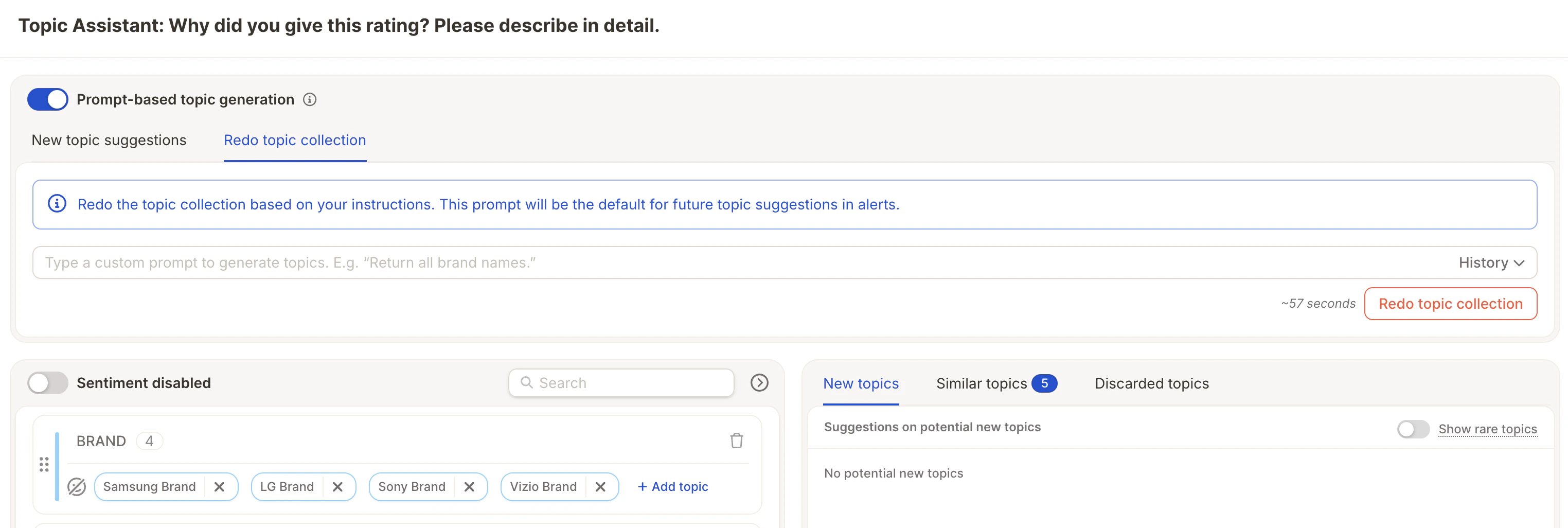
Two Modes to Choose From
Once the toggle is on, you’ll see two tabs:New topic suggestions
Generates new topic suggestions matching your prompt, computed on a sample of up to 20,000 rows. The existing topic collection stays untouched, you review the suggestions and decide what to add. Use this when you want to:- Explore specific themes without disrupting your current structure
- Add topics incrementally as new patterns emerge

Redo topic collection
Rebuilds your entire topic collection based on your prompt. This prompt also becomes the default for future topic suggestions in alerts. Use this when you want to:- Start fresh with a new topic framework
- Apply a specific structure across your full dataset

The Redo topic collection prompt will be reused automatically for future alert-based topic suggestions. Make sure it reflects the structure you want to maintain long-term.