

When you first upload your data to Caplena, the AI takes a smart first stab at organizing it. It identifies common themes, assigns topics, and gives structure to your open-ended feedback. AI training is where you come in — it’s your chance to teach the AI to think like your team, understand your brand’s voice, and reflect what actually matters to your business. Think of it as a collaboration: the AI does the heavy lifting, and you guide it with your unique context.Documentation Index
Fetch the complete documentation index at: https://docs.caplena.com/llms.txt
Use this file to discover all available pages before exploring further.
Where Does AI Training Happen?
You’ll train the AI directly inside your active project. Here’s how to get started: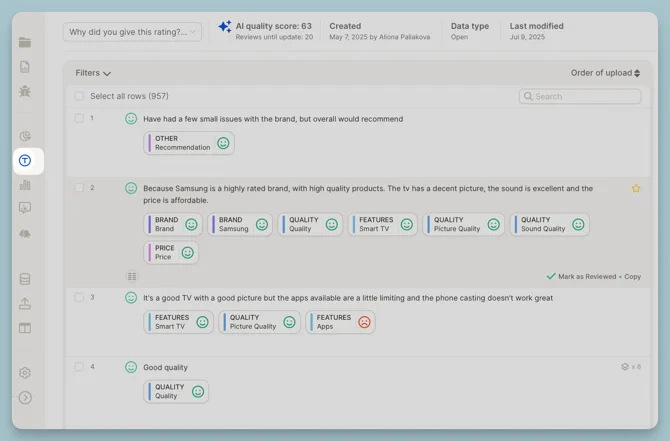
Reviewing a Row
Reviewing means clicking into a specific row and either confirming or adjusting the topics the AI applied.How to Review
You can either:- Click on a row to open the detailed view
- Or turn on Focus Mode (more on this below)
- Add or remove topics
- Adjust sentiment (if needed)
- Mark the row as reviewed ✅
Reviewed rows become learning examples for the AI — the more you review, the better it gets.
Focus Mode: Smart Reviewing
Focus Mode brings the most uncertain rows to the front — the ones where the AI is unsure and your input matters most.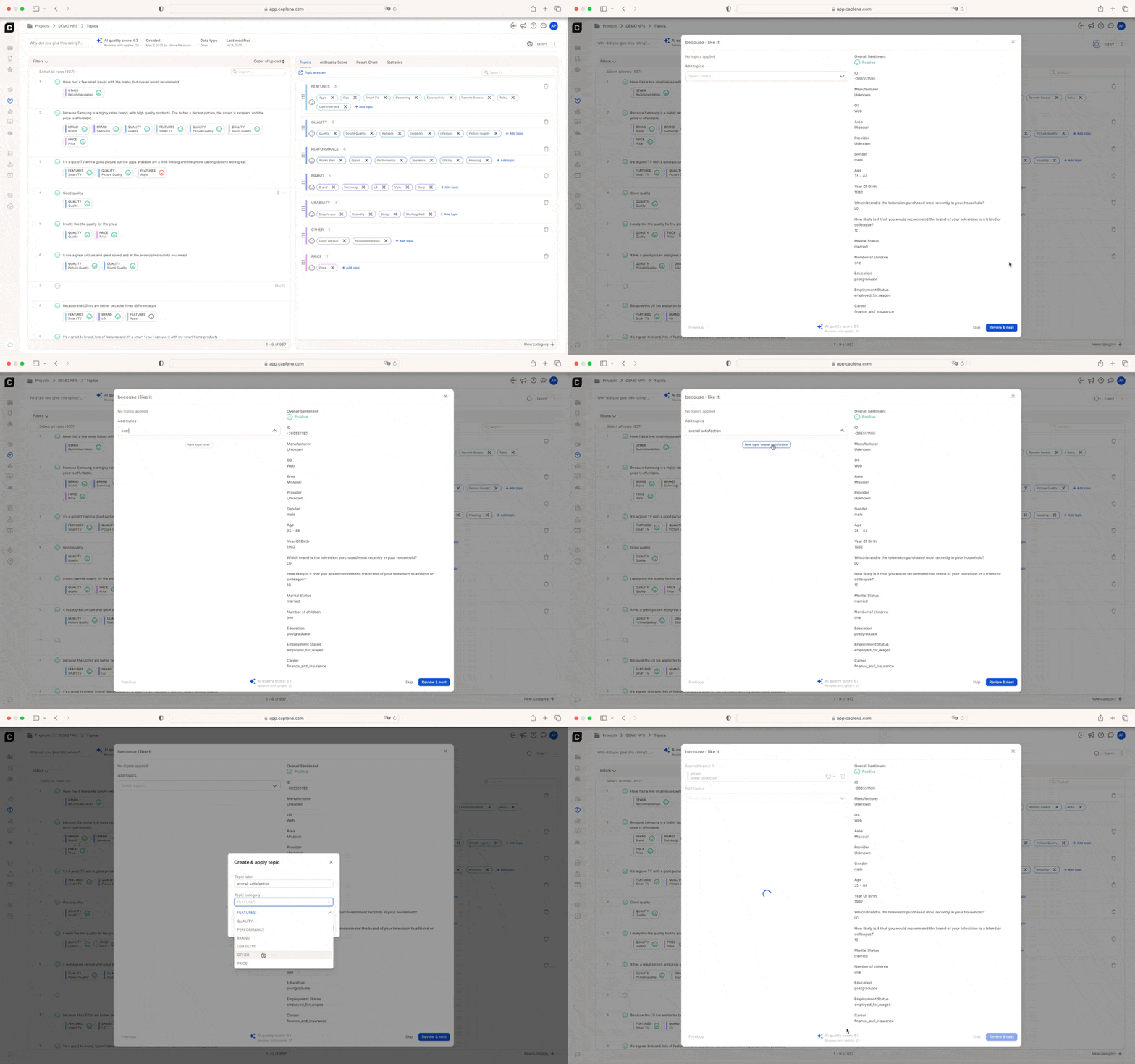
What Focus Mode Does
- Sorts rows by lowest confidence
- Hides already-reviewed data
- Removes visual clutter so you can concentrate
Example: If you’re training your AI on a telecom survey, Focus Mode might prioritize ambiguous responses like “Reception could be better” — prompting you to clarify whether this refers to network coverage or device quality.
Finalize and Refine Your Topic Collection
As part of the review process, it’s a good time to put the finishing touches on your topic structure. You can:- Rename topics to be clearer or more consistent (e.g., “App Usability” → “Mobile Experience”)
- Merge redundant topics like “Delivery” and “Shipping”
- Add entirely new categories if needed
Every change in the Topic Editor prompts the AI to retrain — your topic structure directly influences how well the model performs.