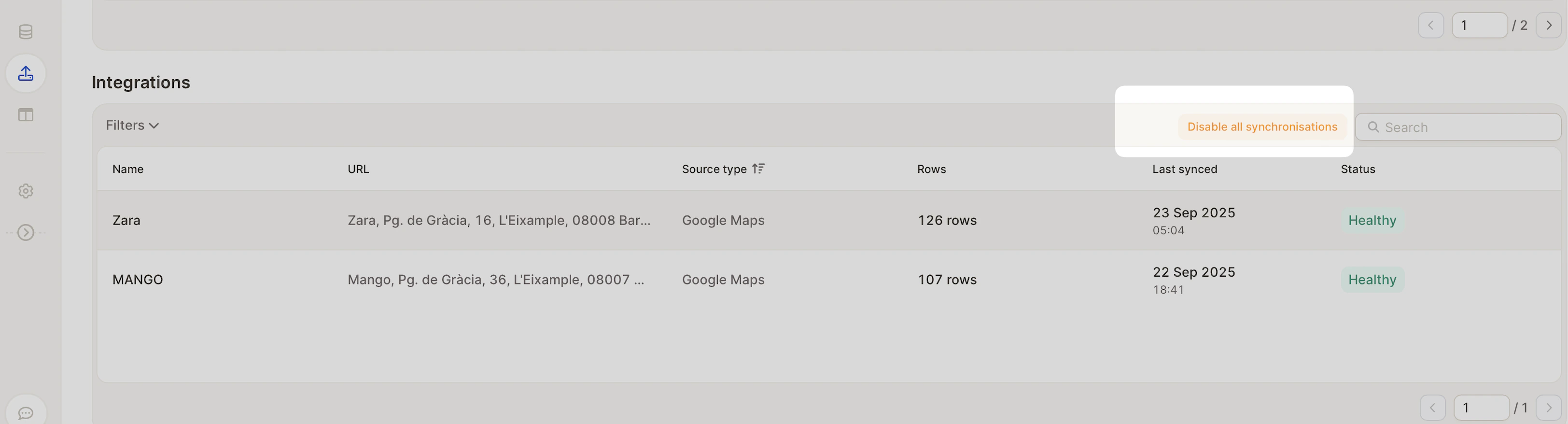
Caplena makes it easy to merge different data sources in a single project, whether the data is uploaded via file or pulled automatically via integrations. You can:Documentation Index
Fetch the complete documentation index at: https://docs.caplena.com/llms.txt
Use this file to discover all available pages before exploring further.
- Combine reviews from multiple platforms, such as the Apple App Store and Google Play Store, into one cohesive analysis.
- Mix manually uploaded data (Excel, CSV) with integrated data sources like Amazon or Trustpilot — all in one place.
Adding a new data source
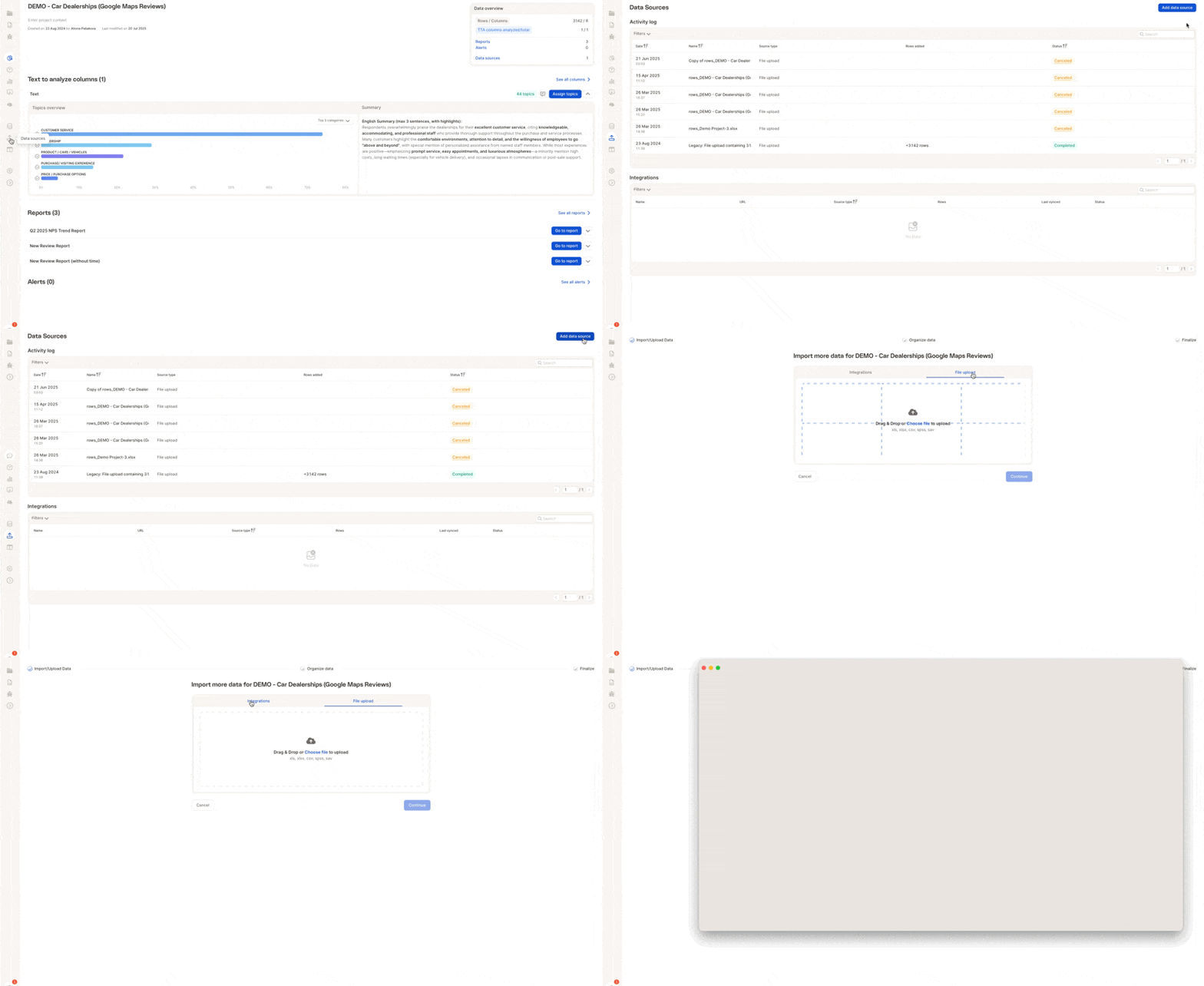
To add a new file or connect an integration, click the “Add data source” button in the Data Sources section of your project. You can either:- Upload a file (
.xls,.xlsx,.csv,.sav,.spss) - Select an integration from platforms like Amazon, Google Play, Trustpilot, etc.
- The new columns you’re adding
- The existing columns in your project
- Suggested matches, especially for text to analyze (TTA), date fields, etc.
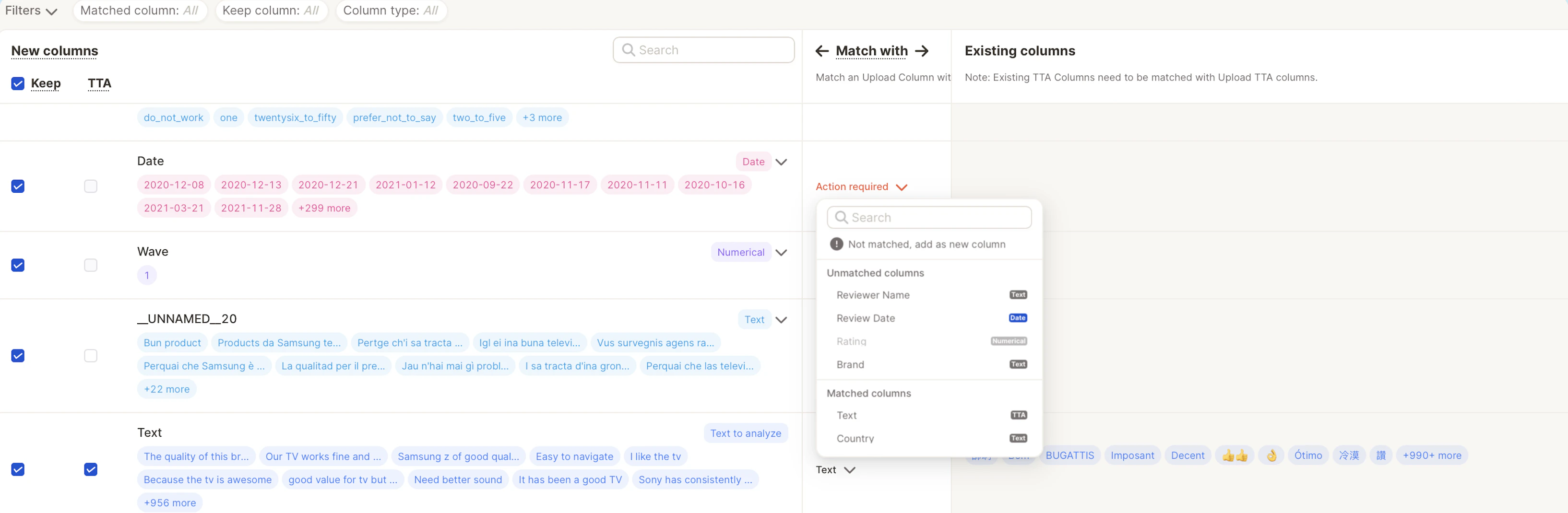
If you don’t want to include a specific column, simply uncheck the box next to it under the “Keep” column. This is especially useful for skipping irrelevant metadata like internal IDs or unused tags.
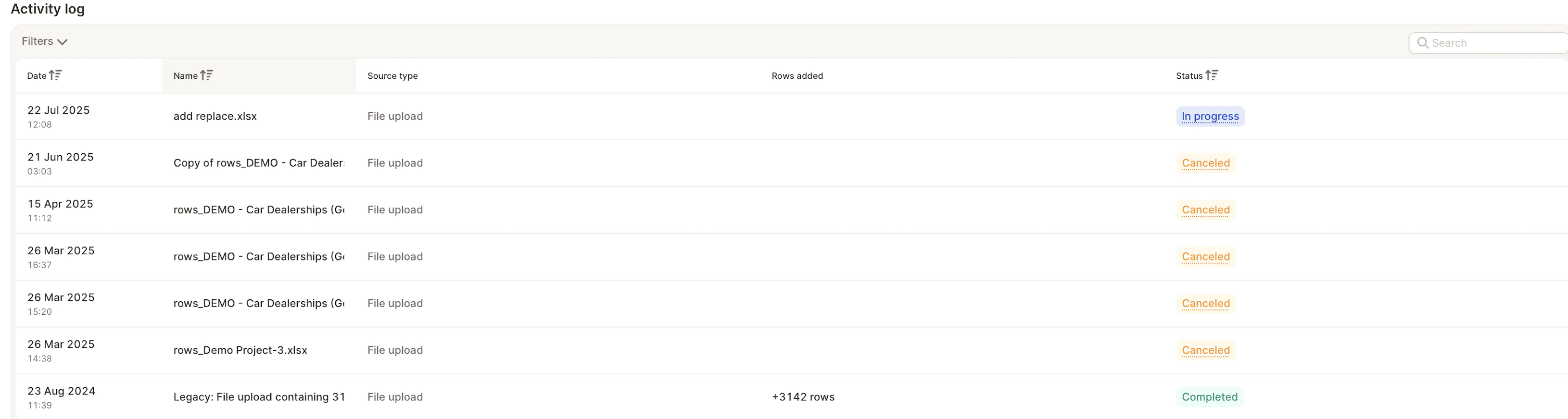
Activity log
The activity log lists recent file uploads, including:- Date and time of the upload
- Name of the source file
- Number of rows added
- Status (e.g. Completed, Cancelled)
Integrations
This section shows all active or pending external data connections, including:- Name/label of the integration
- Source URL (e.g. from Trustpilot, Amazon, App Stores, etc.)
- Type of integration
- Row count (how many reviews have been imported)
- Sync status (e.g. Initializing, Completed)