

Before a project can be queried through any outbound connector, such as Slack, Microsoft Teams, Claude Desktop, it needs to be set to Live. This is a deliberate step that gives you control over which projects are accessible externally.Documentation Index
Fetch the complete documentation index at: https://docs.caplena.com/llms.txt
Use this file to discover all available pages before exploring further.
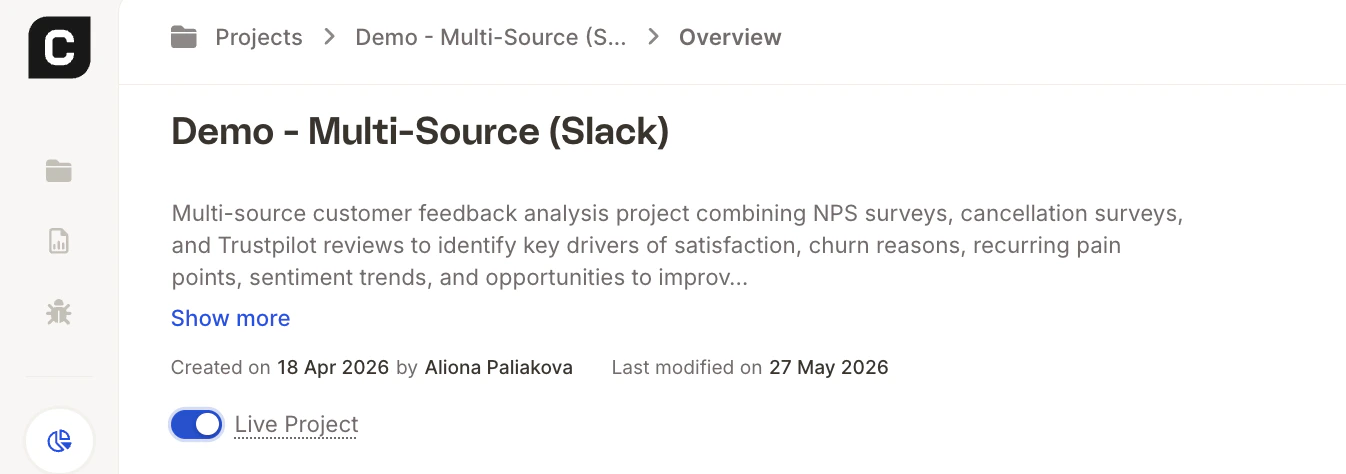
How to Set a Project to Live
- Open the project in Caplena.
- Go to Overview.
- Find the Live Project toggle and switch it on.
Where This Setting Is Required
You’ll need to set a project to Live before using it with any of the following integrations:| Integration | What it enables |
|---|---|
| Slack | Query your feedback data directly from a Slack channel. |
| Microsoft Teams | Ask the Caplena bot questions about your projects inside Teams. |
| Claude Desktop (MCP) | Query projects using natural language through Claude. |